See what’s new.
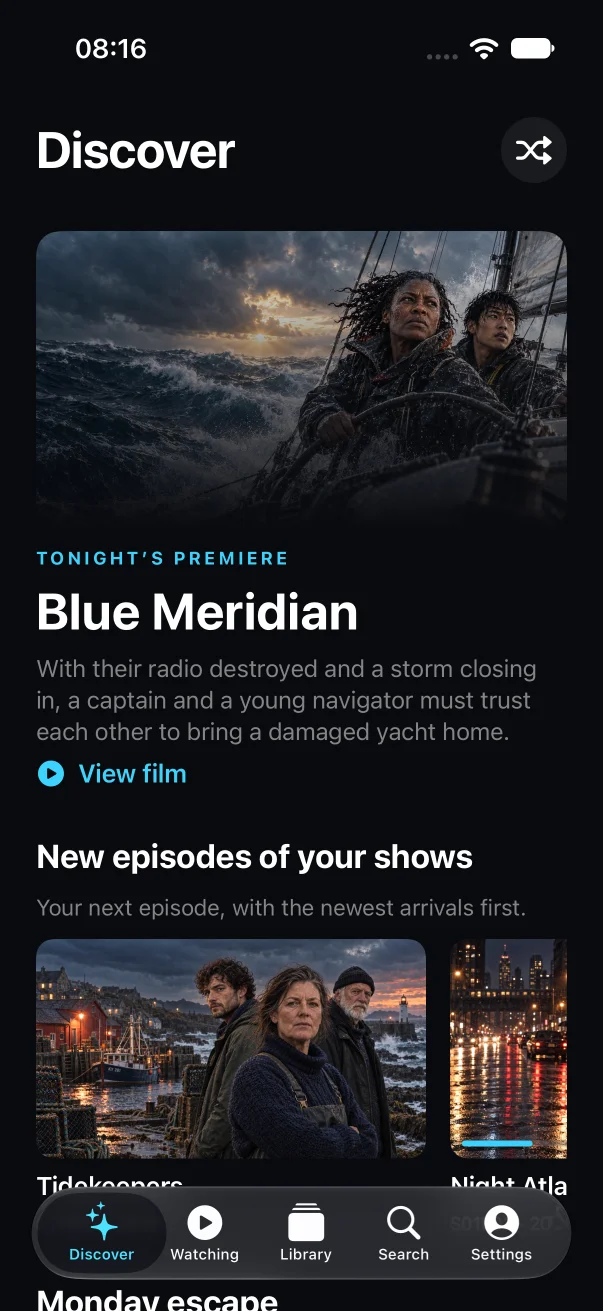
New films and episodes from your connected libraries, without checking each server in turn.
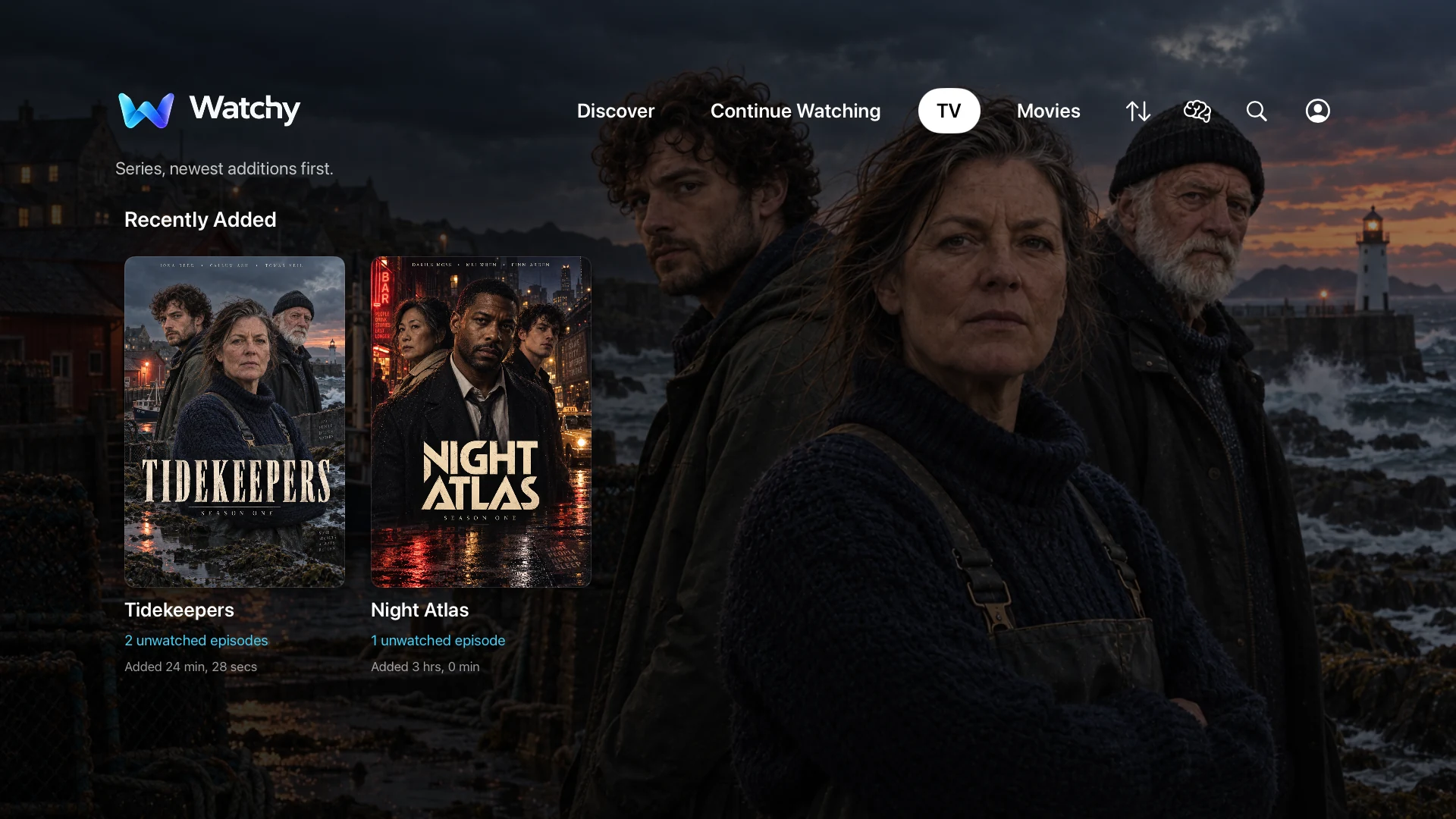


Apple TV · iPhone · iPad
Stop jumping between libraries. Bring your Jellyfin, Plex, Emby and SMB films and series into one place, find something for tonight, and get back to the episode you left unfinished.
For your own media libraries. Watchy doesn’t supply films or television programmes.

Apple TV

iPhone & iPad
The silent film shows films and series from a fictional library, Discover, film details and Continue Watching on Apple TV, followed by Watchy on Apple TV, iPhone and iPad together.
Your libraries, together
 Jellyfin
 Plex
 Emby
 Network shares (SMB)
Requires Apple TV HD or Apple TV 4K with tvOS 17 or later, or iPhone or iPad with iOS or iPadOS 17 or later. You also need a network connection and access to a supported media server or SMB network share.
Inside Watchy
Whether you know what you want or need a little help choosing.
New films and episodes from your connected libraries, without checking each server in turn.
Discover brings unwatched films and your next episodes to the surface. Fewer posters to scroll past.
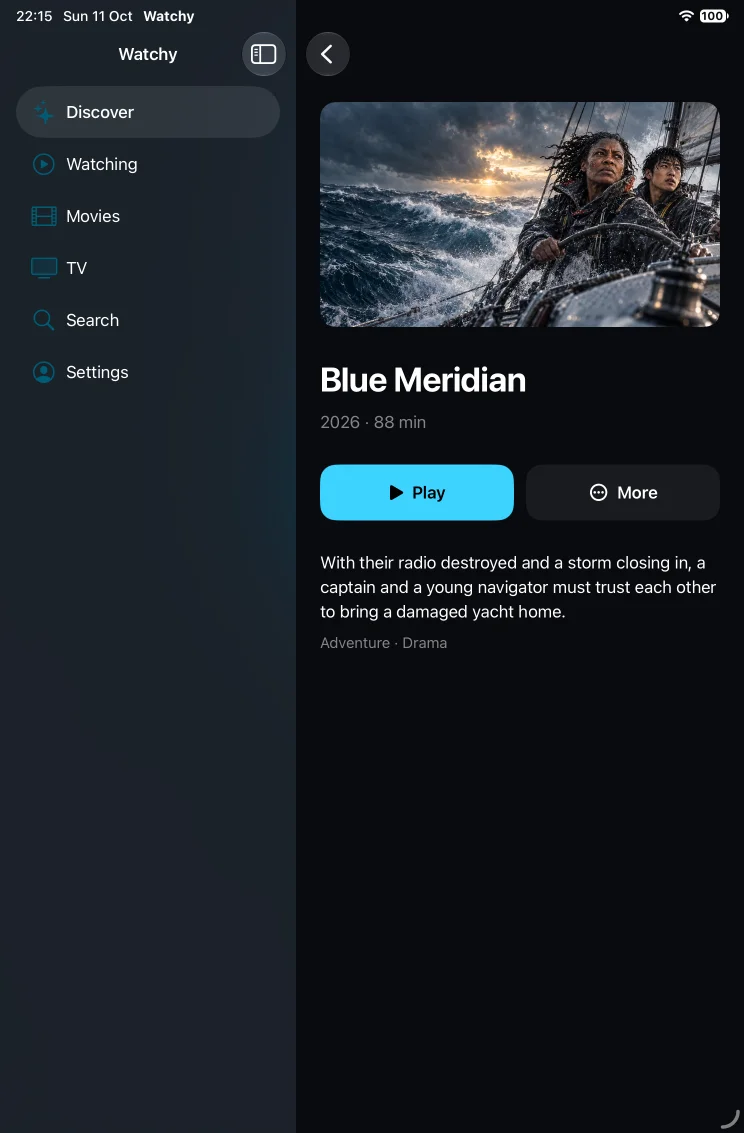
Read the synopsis and check the runtime before pressing play. Browse episodes when you’re choosing a series.
Your library doesn’t have to live on one server. Watchy works with Jellyfin, Plex, Emby and SMB shares, including several of the same kind.
Choose a genre and how much time you have. Watchy offers up to three unwatched choices from your library. Pick for Us can make the final call.
Make a collection for family films, rainy Sundays or whatever you like. Add titles yourself, or use rules to keep it up to date.
An unfinished film or the next unwatched episode is ready in Continue Watching. You don’t have to remember which episode comes next.
Place Watchy in the top row of your Apple TV Home Screen to see Continue Watching in Top Shelf. Jump into a film or your next episode without browsing first.
Set Continue Watching as your startup page if you usually return to a series. Choose Discover when you’d rather find something new.
Clear a title from Continue Watching without deleting it from your server. You can bring it back in Settings if you change your mind.
Personal collections and viewing preferences follow you through iCloud when sync is on. Manage it in Settings → Across Your Devices.
When it’s time to watch
Skip intros, recaps and credits when your Jellyfin server supplies the timings.
Turn on automatic next-episode playback when you want to watch the next one without lifting a finger.
Set your preferred audio and subtitles once. You can save different choices for a particular series.
On Apple TV, use your remote. On iPhone and iPad, touch controls fade away while you watch. Track choices depend on the media and source; skipping requires Jellyfin 10.10+ and a compatible media-segment provider.
Seven days of every feature. No subscription or automatic payment.
Free
Connect your sources and start when you’re ready. One trial per Apple Account across all three devices.
$4.99
Yours to keep.
One purchase for Apple TV, iPhone and iPad with the same Apple Account. Unlock now or after your trial.
Price shown for your region; the App Store shows your final price.
One-time purchase.
No subscription or automatic payment.
Apple TV
iPhone & iPad
After the trial, playback and full library features require Full Unlock. Your preferences and collections are preserved.
Sign in to your media server or connect a network share. Watchy remembers the connection for next time.
Connection helpJellyfin, Plex, Emby or an SMB network share. Add more whenever you like.
Use Jellyfin Quick Connect, approve Plex on your phone, sign in to Emby, or enter your share details.
Include all your server libraries or just a selection. For SMB, choose a share or folder with your films and series.
Your connection is saved securely. Manage, reconnect or remove sources in Settings → Sources.
You need an Apple TV with tvOS 17 or later, or an iPhone or iPad with iOS or iPadOS 17 or later. You also need a network connection and access to a Jellyfin, Plex or Emby server, or an SMB network share. Watchy doesn’t include any films or TV programmes.
Yes. Connect multiple servers and shares, including more than one of the same kind. All Sources brings their libraries together; the source selector lets you browse one at a time.
SMB plays compatible MP4, M4V and MOV files directly on your device. It uses your filenames and local artwork or NFO files for library details. Watched state and progress are saved in Watchy and sync across your devices when iCloud sync is on. For files that need transcoding, connect through a supported media server.
Yes, if your server is configured for remote access. Connect to a reachable server; Jellyfin discovery only finds servers on your local network. SMB requires a reachable network share.
No. The trial gives seven days of full access. Permanent access is a separate one-time purchase that you choose.
Watchy connects to the sources you choose. Plex sign-in also contacts Plex’s account service. It has no advertising or tracking SDKs. Read the privacy policy for details about sign-in, local caches and progress reporting.